

If you're wondering why Microsoft's Xbox mode is still missing after installing the latest Windows 11 update, here's why
- Microsoft's Xbox mode is still not showing up for some Windows 11 users
- The console-like UI arrived via the April 30 and the latest May update
- Currently, it's only available in select markets
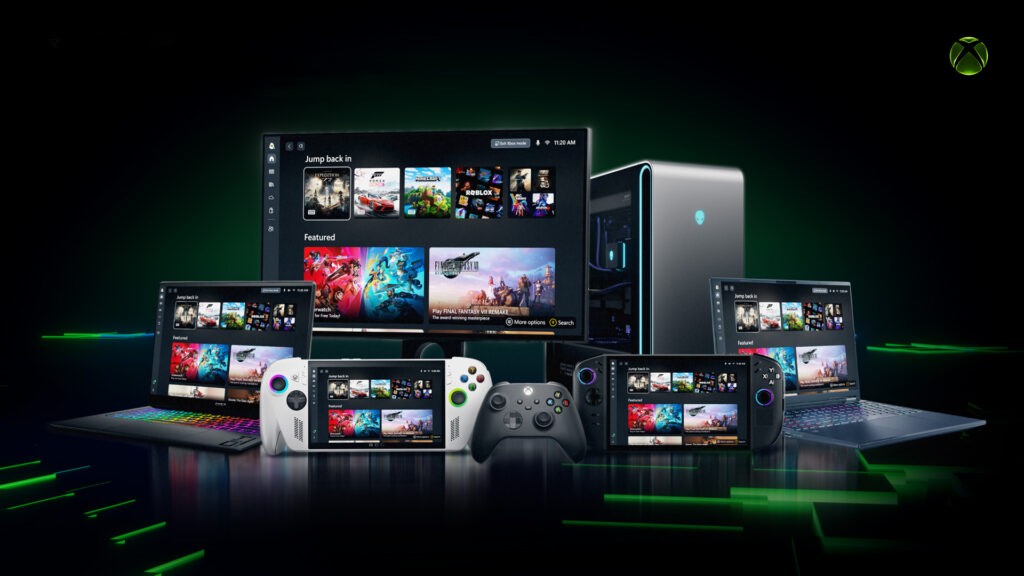
Microsoft began rolling out Xbox mode to Windows 11 users on April 30 via an optional update, but it's still not showing up for some users for a few reasons.
As reported by Windows Latest, Microsoft has cautioned Windows 11 users that the Xbox mode may not appear for all users yet, even after the latest May 2026 update (KB5089549), because the feature is currently locked to select markets.
This was briefly noted in the original blog post, where the rollout was announced, but it also explains why users like myself still don't have access to the console-like UI via the latest update, which includes the April 30 optional update features.
Windows Latest also highlights that Microsoft is using a Controlled Feature Rollout (CFR), meaning the code for the Xbox mode is indeed on users' PCs, but remains inactive, requiring Microsoft to enable the feature via a server-side switch.
Essentially, Microsoft is doing this to keep tabs on issues like bugs or crashes, before enabling the feature for more PC users — and given the track record of Windows 11's bugs and frustrating issues, it's a good move but it will require extra patience from users.
However, some might be in luck and can find the mode via Settings > Gaming > Xbox mode (or it may be labelled 'Full Screen Experience') and then check the 'Enable Xbox mode' box. You'll finally have the option to easily switch between Xbox mode and the standard Windows 11 desktop.
For gamers using TVs or avoiding a mouse and keyboard, the Xbox mode is ideal as it provides the same navigation experience that's available on the Asus ROG Xbox Ally X handheld, while also serving as Microsoft's way of competing with Valve's SteamOS game mode.
Once the rollout is complete, Microsoft will need to provide consistent updates to match up to SteamOS for gaming, or face a hard time winning fans over, considering Valve's frequent update activity.
About Unknown


No comments